


.svg)
OnlyFans Marketing Analytics Track Traffic, Links, and Campaign ROI
See which platforms, promos, and tracking links actually bring paying subscribers. Attribution that follows every fan from first click to their last purchase, so you spend on the channels that pay you back.


.png)
What you can track with Supercreator's marketing analytics


Tracking link attribution
Every fan stays tied to the link that brought them in. So you don't just see clicks and sign-ups; you see how much that source went on to spend through PPVs, tips, and renewals. Tracking links stop being a vanity metric and become a spending decision.
.png)
.png)
Traffic and conversion sources
Volume and conversion are two different problems. Supercreator splits them, so a channel that floods you with traffic that never subscribes is obvious at a glance, and each platform gets the strategy it needs instead of one blanket approach.
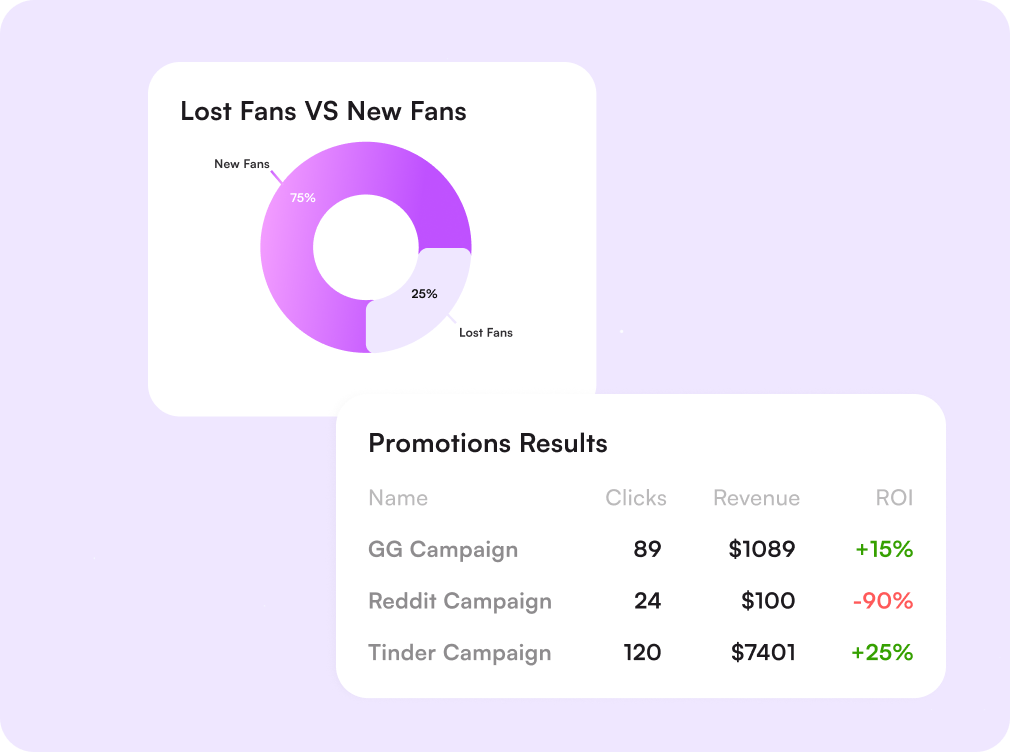
Campaign and promotion results
Track the return on every promo you run. Compare campaigns side by side, see what each one actually delivered in revenue rather than reach, and cut the tactics that never pay for themselves.
.png)
Cost per click and per fan
Enter what a campaign or channel costs you and Supercreator works out the rest: cost per click, cost per subscriber, and the revenue each of those fans went on to generate. You find out whether a channel is worth scaling before you put real budget behind it.
Fan quality by source
Two channels can send the same number of subscribers and be worth completely different amounts. Compare average spend, tip rate, and how long fans stay subscribed by source, and market to the audiences that behave like buyers.
.png)
.png)
Fan engagement timing
Find out when your fans are actually online and ready to respond, then schedule promos and mass messages into those windows. Same message, better hour, more opens and replies.

Challenges solved by Supercreator's marketing analytics
Promotions without clear ROI
Measure what every campaign returns
Running promos without tracking the return is guessing with a budget. See revenue per campaign and reinvest only where it came back.
Clicks that never convert
Judge channels on subscribers, not traffic
A viral platform can send tens of thousands of clicks and almost no paying fans. Conversion sits next to volume, so you see the difference.
Last-click attribution only
Follow each fan past the sign-up
Native tracking links stop at the sign-up. Supercreator keeps the source attached to the fan, so you see lifetime spend by channel.
Scattered campaign data
One dashboard for every channel
No more stitching link shorteners, spreadsheets, and platform tabs together. Every source and promo reports into the same place.
How the marketing analytics tool works
Connect your OnlyFans account
Linking takes minutes over a secure connection. No credentials stored, no technical setup.
Add your tracking links
Create a link per platform, post, or shoutout and share it as you normally would.
Watch traffic and spend land
Clicks, sign-ups, campaign spend, and fan revenue are collected automatically in real time.
Move budget to what works
Double down on the channels and hours that convert, and cut the ones that don't.
.webp)
Start Today
Start your 14-day free trial. Get set up in just 2 minutes and explore Supercreator's AI tools.
No Credit Card Required.
Book A Demo
Let us optimize your OnlyFans, and walk you through Supercreator.
Our experts won't bite ;)

Plans start from as low as $15/mo o
Find your individual rate on our pricing page
CRM Lite
Free CRM with all basic tools. Manage your chats, fans, and team management in one place.
AI Agent + CRM
Automate your chats. Save hours every day with an AI that replies, sells, and keeps fans engaged.
CRM Premium
Grow your OnlyFans with the best CRM, automations, and AI tools.
Frequently Asked Questions
Couldn't find an answer?

